
The 3-2-1 backup rule, explained for a Tampa Bay office (and hurricane season)
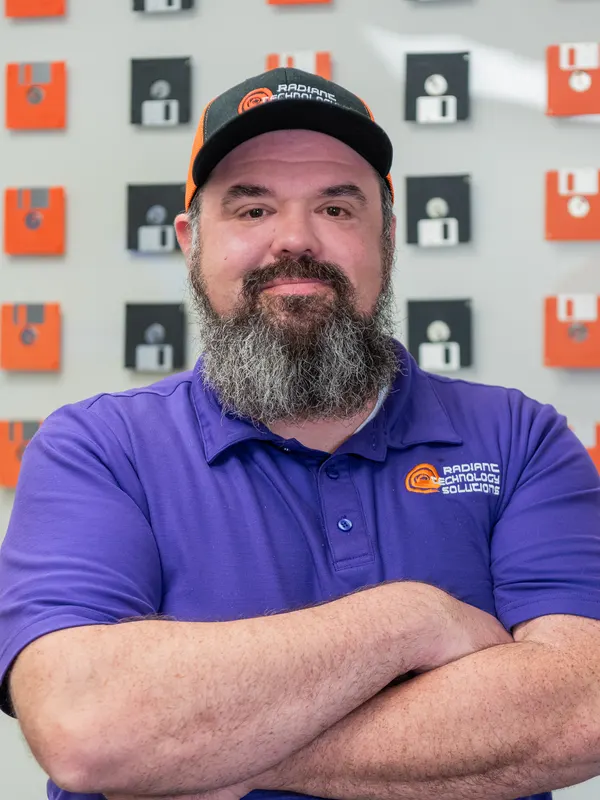 Written byRon Slyker
- Published
- Reading time7 min read
Short answer
The 3-2-1 backup rule means keeping 3 copies of important data, on 2 different types of storage, with 1 copy offsite, per the Data Backup Options paper hosted by CISA. For a Tampa Bay office, the offsite copy is what survives a hurricane, and a tested restore is what proves the plan works.
Every Tampa Bay owner has a hurricane plan for the building: shutters, sandbags, a phone tree. Fewer have one for the files. The 3-2-1 backup rule is the simplest plan we know for keeping your data alive when the office is not.
Here is what the rule means, how it fits a 20 to 50 person office, and the part most plans skip: proving a restore actually works.
What is the 3-2-1 backup rule?
The 3-2-1 backup rule means keeping 3 copies of any important file, on 2 different types of storage, with 1 copy offsite. That wording comes from Data Backup Options, a paper produced for US-CERT and hosted today on CISA's website.
| What it means | What it looks like in a 25-person office | |
|---|---|---|
| 3 copies | The original plus 2 backups | Live files on the server or in Microsoft 365, plus two separate backups |
| 2 media types | Backups on different kinds of storage, so one failure cannot take both | A local backup device in the office and a cloud backup service |
| 1 offsite | At least one copy outside the building | A cloud copy held in a data center outside your area |
-
What it means
- 3 copies
- The original plus 2 backups
- 2 media types
- Backups on different kinds of storage, so one failure cannot take both
- 1 offsite
- At least one copy outside the building
-
What it looks like in a 25-person office
- 3 copies
- Live files on the server or in Microsoft 365, plus two separate backups
- 2 media types
- A local backup device in the office and a cloud backup service
- 1 offsite
- A cloud copy held in a data center outside your area
The paper's reasoning is simple: one backup can fail the same way the original did. A drive dies, a file gets corrupted, or the same power surge hits both. Spreading copies across storage types and places means one bad day cannot take all three.
What counts as a different type of storage?
The paper dates from 2012, when tapes and DVDs were still common. Today the two media are usually a local backup device in your office and a cloud backup service in a data center. The point has not changed: the two copies should not share a single way to fail, like the same power strip, the same building or the same password.
Why does hurricane season make the offsite copy matter?
Because on the Gulf coast the threat is often the building itself, and a backup drive sitting next to the server floods, burns or loses power right along with it. The offsite copy is the one still there when you open a laptop at home or in a hotel.
- 01
June 1 to November 30
: the official Atlantic hurricane season, per NOAA's National Hurricane Center
- 02
September 10
: the statistical peak of the season, per NOAA's National Hurricane Center
The peak has passed by the time you read this, but the season runs to the end of November, and the offsite copy protects you the rest of the year too: from fire, theft, a burst pipe over the server closet, or electrical work gone wrong.
A storm also tests things that are not data. Can your staff reach their files from home if the office is closed for a week? Do they know who to call? A backup plan that only covers files leaves those questions for the worst possible day.
Is cloud sync the same as a backup?
No. Sync tools like OneDrive and Dropbox copy every change everywhere, which is handy for working but limited for recovering, because a deleted or encrypted file can be deleted or encrypted on every synced copy too. The US-CERT paper makes the same point about rolling backups, which "can silently propagate any corruption or malware in the primary files to the backup files."
Sync (OneDrive, Dropbox, Google Drive)
- Keeps the latest version on every device
- A deletion or encryption can spread to every synced copy
- Recovery depends on the service's version history and retention settings
- Built for working together
Backup
- Keeps point-in-time copies you can roll back to
- Stored apart from the files people use every day
- Restores a single file, a mailbox or a whole server
- Built for recovery
That is why we treat Microsoft 365 data as something to back up on its own. Our backup and disaster recovery service covers full server images, file-level backups and cloud-to-cloud backup of Microsoft 365.
Find out where your backups really live
Our free network assessment checks what is backed up, where each copy is stored, and when the last successful backup ran, then ends in a written quote.
How does ransomware change the rule?
Ransomware raises the bar from "have an offsite copy" to "have a copy the attacker cannot reach." CISA's #StopRansomware Guide warns that "many ransomware variants attempt to find and subsequently delete or encrypt accessible backups."
In practice, that means at least one copy is offline, or stored so it cannot be changed or deleted for a set period, which some cloud vendors call immutable storage. CISA adds a caution: immutable storage "does not meet compliance criteria for certain regulations," so check before you rely on it alone.
It also means the backup system has its own logins, separate from your everyday Windows and Microsoft 365 accounts, protected with multi-factor authentication (a second proof of identity at sign-in). If an attacker steals one admin password, it should not open the backups too.
Backups and prevention work as a pair. Our cybersecurity services aim to stop an attack early, and backups are what you fall back on if one gets through.
How often should you test a restore?
Test on a schedule and after every major change, because a backup you have never restored is a hope, not a plan. CISA tells organizations to "regularly test the availability and integrity of backups," and Ready.gov's IT disaster recovery guidance says to "test the plan periodically to make sure that it works."
The quiet failure is the dangerous one: a backup job that stopped running weeks ago with nobody watching. A real test catches that. Here is what one should prove.
What to look for
- The backup finished recently and completely
- Restored files open, not just exist
- A whole server or PC can come back, not only single files
- You know how long a full restore takes
- Someone besides your IT provider knows where the test report lives
We restore backups in an isolated test area on a regular schedule, so live systems are never touched. For most offices we suggest a documented test at least every quarter and after any server or software change.
What should a small business disaster recovery plan include?
A small business disaster recovery plan needs five things: what to protect, how much work you can afford to lose, how fast you need it back, who does what, and proof that it works. Ready.gov puts the timing piece simply: "The recovery time for an IT resource should match the recovery time objective," which is your target for how long you can be down.
- 01
List what matters
Name the systems you cannot work without: practice management, accounting, email, shared files, phones.
- 02
Set your RPO
The recovery point objective is how much recent work you can afford to lose. An hour? A day? That decides how often backups run.
- 03
Set your RTO
The recovery time objective is how long you can be down before it really hurts. That decides what kind of backup and restore you need.
- 04
Apply 3-2-1
The original, a local backup and an offsite copy, with one copy the attacker cannot reach.
- 05
Write down who does what
Who calls IT, who tells staff, who calls clients, and where everyone works if the office is closed.
- 06
Test and update
Run a restore test, record the result, and update the plan when people, systems or vendors change.
If your office sits in a flood zone or loses power often in summer, name those risks in the plan. And if you carry cyber insurance, compare the plan against your policy's backup questions; our guide to cyber insurance requirements in Florida walks through them.
Hurricane season ends November 30, and the next one starts June 1. If you are in Tarpon Springs, Clearwater, New Port Richey or anywhere in Pinellas or Pasco, our free network assessment shows where every copy of your data lives and what it would take to meet the 3-2-1 rule.
Frequently asked questions
Yes, if it is a true backup stored outside your building and kept separate from the files people work in every day. A synced folder like OneDrive is not the same thing, because changes and deletions spread to every copy. Look for point-in-time versions you can restore and logins that are separate from your everyday accounts.
At least two, plus the original, under the 3-2-1 rule in the US-CERT Data Backup Options paper. One of those backups should be offsite, and at least one should be offline or locked against changes so ransomware cannot reach it, as CISA's #StopRansomware Guide recommends.
RPO, the recovery point objective, is how much recent work you can afford to lose, and it sets how often backups run. RTO, the recovery time objective, is how long you can be down before it really hurts, and it sets how fast a restore has to be. Ready.gov says recovery time should match the RTO.
It beats leaving it under a desk in a flood zone, but it should not be the plan. A drive in a car can be lost, stolen or damaged, and it is only as current as the day someone grabbed it. An automatic offsite copy covers the storm without anyone remembering to carry anything.
Managed IT providers in Tampa Bay, compared honestly
A plain comparison of managed IT providers serving Tampa Bay: contracts, pricing models, help desk hours, and local presence. Written by Ron Slyker.
What managed IT costs in Tampa Bay, and why
What Tampa Bay businesses pay for managed IT, per device and per user, what pushes the price up or down, and the questions to ask before you sign.
Cyber insurance requirements for Florida businesses, in plain English
The security controls insurers ask Florida businesses for before they write or renew a cyber policy: MFA, EDR, backups, training, and how to prove it.
Managed services agreements: the clauses to read before you sign
Before you sign an MSP contract, read the term, auto-renewal, termination fee, price increase, data ownership and exit clauses. Here is what fair looks like.
Still on Windows 10? What a Tampa Bay office should do now (October 2026)
Windows 10 support ended in October 2025. Here is what still works, what ESU costs a business as of October 2026, and a plan to move every office PC safely.
-
Cloud security for a small business: the 7 factors that matter
Cloud security for a small business comes down to seven factors, from who owns which job to sign-ins, settings and backups. A plain checklist for 2026.
About the author
Ron Slyker
Ron runs Radiant Technology Solutions from Tarpon Springs and writes every article on this site. He has spent more than 15 years working for and managing IT consulting firms.
Read Ron's story