
Managed IT providers in Tampa Bay, compared honestly
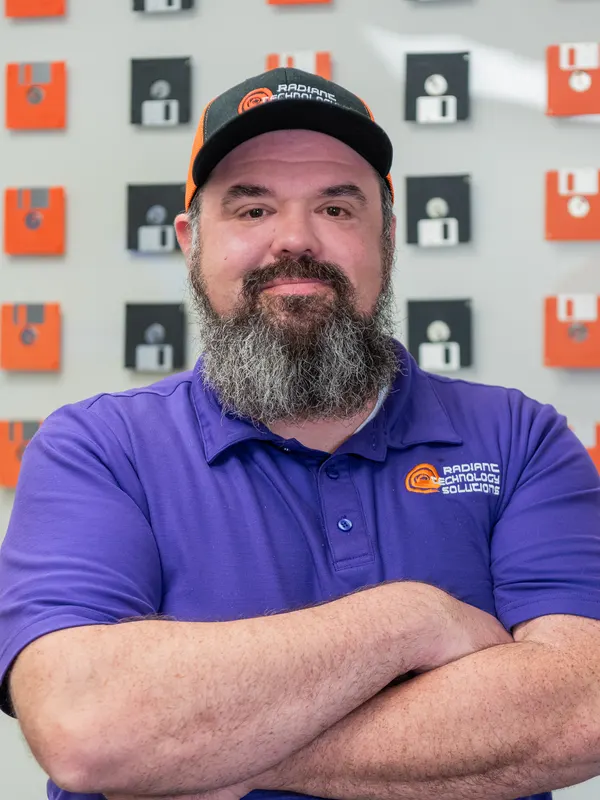 Written byRon Slyker
- Published
- Reading time8 min read
Short answer
Compare Tampa Bay managed IT providers on seven things: contract terms, published pricing, help desk hours, on-site coverage, compliance focus, Google reviews and time in business. We checked six providers' public websites in September 2026, including our own, and put what each one states in a single table below.
I run Radiant Technology Solutions in Tarpon Springs, so I am not a neutral judge. Read our row in the table with that in mind.
What I can do is show you the questions I would ask if I were shopping for IT, and what six providers, us included, say on their own websites.
Why is it hard to compare IT companies in Tampa?
Most managed IT companies sell the same idea: a monthly fee, a help desk, and someone watching your network. The differences hide in the details.
Those details are rarely on the website. Pricing usually waits for a sales call, and contract terms usually wait for the agreement itself.
So owners end up comparing logos and adjectives. A short list of plain criteria works much better, and it keeps every sales call on your terms.
What should you compare when choosing an MSP?
Seven criteria cover what a 20 to 50 person office actually lives with. Each one answers a question you will care about in month six, not on day one.
- 01
Contract terms
how long you are committed, and what it costs to leave early if the service disappoints.
- 02
Published pricing
whether you can see the pricing model, or at least a starting number, before the first call.
- 03
Help desk hours
who picks up at 7 PM on a Thursday, or on a Saturday before a filing deadline.
- 04
On-site coverage
whether a technician can physically reach your office, and how far their team normally travels.
- 05
Compliance focus
which rules they name, such as HIPAA for medical practices, if your industry has them.
- 06
Google rating and review count
what clients say unprompted, and how many clients have bothered to say it.
- 07
Time in business
how long they have been around, which tells you something about staying power.
How do six Tampa Bay providers compare?
These are six providers that show up when Tampa Bay businesses search for managed IT. Every cell comes from the provider's own public website, checked in September 2026.
Quoted cells are their exact words. "Not published" means I could not find it on their site, not that they lack it. Ask them directly.
| Radiant Technology Solutions | CIO Technology Solutions | MetroTech IT | IGTech365 | VTC Tech | Access One | |
|---|---|---|---|---|---|---|
| Based in | Tarpon Springs, FL | Tampa, FL | Clearwater, FL | Tampa, FL, with Wesley Chapel, St. Petersburg and Orlando listed | Florida office in Orlando, plus offices in six other states | Chicago, IL |
| Contract terms stated | No contract, month to month | “No long-term contracts locking you in” | Not published | Not published | “Opt-out clause in all contracts” | Not published |
| Pricing published | Yes, per-device plans on our pricing page | Not published | Not published | Not published | Yes, a starting monthly price | Not published |
| Help desk hours | 24/7 | “24/7 monitoring, plus after-hours emergency response” | Mon to Fri 8:00 AM to 5:00 PM, extended hours via an on-call tech | 24/7 | 24/7 | 24/7 help desk |
| On-site coverage | On site across Tampa Bay, remote anywhere | Not published | Not published | Not published | Not published | Not published |
| Compliance named | HIPAA | HIPAA, SOC | HIPAA | HIPAA | HIPAA, CMMC | Not specified |
| Google rating | 5.0 stars, 96 reviews | Check Google Maps | Check Google Maps | Check Google Maps | Check Google Maps | Check Google Maps |
| In business since | Ask us | 2010 | 2005 | Not published | 1999 | Over 30 years, per their site |
-
Radiant Technology Solutions
- Based in
- Tarpon Springs, FL
- Contract terms stated
- No contract, month to month
- Pricing published
- Yes, per-device plans on our pricing page
- Help desk hours
- 24/7
- On-site coverage
- On site across Tampa Bay, remote anywhere
- Compliance named
- HIPAA
- Google rating
- 5.0 stars, 96 reviews
- In business since
- Ask us
-
Access One
- Based in
- Chicago, IL
- Contract terms stated
- Not published
- Pricing published
- Not published
- Help desk hours
- 24/7 help desk
- On-site coverage
- Not published
- Compliance named
- Not specified
- Google rating
- Check Google Maps
- In business since
- Over 30 years, per their site
-
VTC Tech
- Based in
- Florida office in Orlando, plus offices in six other states
- Contract terms stated
- “Opt-out clause in all contracts”
- Pricing published
- Yes, a starting monthly price
- Help desk hours
- 24/7
- On-site coverage
- Not published
- Compliance named
- HIPAA, CMMC
- Google rating
- Check Google Maps
- In business since
- 1999
-
IGTech365
- Based in
- Tampa, FL, with Wesley Chapel, St. Petersburg and Orlando listed
- Contract terms stated
- Not published
- Pricing published
- Not published
- Help desk hours
- 24/7
- On-site coverage
- Not published
- Compliance named
- HIPAA
- Google rating
- Check Google Maps
- In business since
- Not published
-
MetroTech IT
- Based in
- Clearwater, FL
- Contract terms stated
- Not published
- Pricing published
- Not published
- Help desk hours
- Mon to Fri 8:00 AM to 5:00 PM, extended hours via an on-call tech
- On-site coverage
- Not published
- Compliance named
- HIPAA
- Google rating
- Check Google Maps
- In business since
- 2005
-
CIO Technology Solutions
- Based in
- Tampa, FL
- Contract terms stated
- “No long-term contracts locking you in”
- Pricing published
- Not published
- Help desk hours
- “24/7 monitoring, plus after-hours emergency response”
- On-site coverage
- Not published
- Compliance named
- HIPAA, SOC
- Google rating
- Check Google Maps
- In business since
- 2010
Sources: each provider's public website (ciotech.us, mettec.net, igtech365.com, vtct.com, accessoneinc.com), checked September 2026. Radiant's rating is its Google Business Profile in September 2026.
What stands out in the table?
Two providers besides us say something specific about contracts on their websites. CIO Technology Solutions says no long-term contracts, and VTC Tech says it includes an opt-out clause.
Among the other five, only VTC Tech publishes a price, as a starting monthly figure. Everyone else asks for a conversation first, which is normal in this industry and not a red flag.
Four of the six advertise a 24/7 help desk. CIO Technology Solutions lists 24/7 monitoring with after-hours emergency response, and MetroTech IT lists weekday hours with an on-call technician.
Geography varies more than you might expect. Four are based in Tampa Bay, while VTC Tech's Florida office is in Orlando and Access One is headquartered in Chicago.
On reviews, look past the star rating. Read the newest ten and notice whether clients mention quick answers, clear communication and fixes that stayed fixed.
None of this makes one provider right or wrong. It tells you which questions to ask each of them, and that is the next step.
What questions should you ask on the first call?
Bring these to every provider you talk to, including us. Write down the answers so you can compare them later.
- Check 01
How long is the agreement, and what does it cost me to leave in month four?
- Check 02
How do you bill: per user, per device, or a flat fee? What counts as a device or a user?
- Check 03
What is never billed extra? Are help desk calls and on-site visits included?
- Check 04
Who answers the phone at 8 PM, and is that person on your team or an outside service?
- Check 05
How far will a technician drive, and how often do you actually send someone on site?
- Check 06
Which of my insurer's security requirements does your plan cover, and which cost more?
- Check 07
If I leave, how do I get my passwords, documentation and admin access back?
- Check 08
Can I talk to a current client in my industry and my part of Tampa Bay?
How do you switch IT providers without downtime?
Switching sounds risky, but a planned handoff rarely interrupts the workday. The work happens in the background while your team keeps working.
Switching providers in five steps
The order matters. Do not give notice until the new provider has documented your network.
- 01
Get an assessment first
Have the new provider look at your network, backups and security before you give notice anywhere.
- 02
Collect the keys
List every admin login, domain registrar, Microsoft 365 tenant and firewall password, and confirm you own each one.
- 03
Check your current terms
Read the notice period and any early termination fee so the switch date lines up with your agreement.
- 04
Run both for a short overlap
Let the new provider install its tools and verify backups while the old one still has access.
- 05
Close the old doors
Remove the previous provider's accounts and remote tools, then change shared passwords once the handoff is done.
Where does Radiant fit?
We are built for 20 to 50 person offices in healthcare, law, accounting and construction, mostly across north Pinellas, Pasco and the rest of Tampa Bay.
We bill one flat fee per device, answer the help desk 24/7, and send technicians on site from Tarpon Springs. You can see how that works on our managed IT pricing page.
We also do not use contracts. Rather than hold someone hostage in a contract we work to earn their business every month. Our no-contract IT support page explains how leaving works.
If you need a provider with an office in Orlando or Chicago, someone else in this table may fit better. If you are near Tarpon Springs, Palm Harbor or Tampa, we would like the chance to earn it.
Frequently asked questions
Three is usually enough. Ask each one the same questions about contracts, billing, help desk hours and on-site coverage, and write down the answers. Comparing three written answers side by side shows the real differences quickly, and it keeps every sales conversation focused on your office instead of their pitch.
Neither is automatically better. Most problems are fixed remotely, so a national provider can handle day-to-day help well. A local team matters when something physical fails, like a firewall, a switch or a server, and you need a technician in the office the same day. Decide how often that happens for you.
It should state the term length, the notice period, any early termination fee, exactly what the monthly fee covers, and how you get your passwords and documentation back when you leave. If a provider works without a contract, ask for those same answers in writing on the proposal instead.
Pricing depends on device count, security needs and support hours, so many providers prefer to quote after a conversation. That is reasonable. What you should expect is a clear explanation of the pricing model on the first call, even if the final number waits for an assessment of your network.
What managed IT costs in Tampa Bay, and why
What Tampa Bay businesses pay for managed IT, per device and per user, what pushes the price up or down, and the questions to ask before you sign.
Cyber insurance requirements for Florida businesses, in plain English
The security controls insurers ask Florida businesses for before they write or renew a cyber policy: MFA, EDR, backups, training, and how to prove it.

Managed services agreements: the clauses to read before you sign
Before you sign an MSP contract, read the term, auto-renewal, termination fee, price increase, data ownership and exit clauses. Here is what fair looks like.
Still on Windows 10? What a Tampa Bay office should do now (October 2026)
Windows 10 support ended in October 2025. Here is what still works, what ESU costs a business as of October 2026, and a plan to move every office PC safely.
The 3-2-1 backup rule, explained for a Tampa Bay office (and hurricane season)
The 3-2-1 backup rule means 3 copies, 2 media types, 1 offsite. Here is how a Tampa Bay office applies it before a storm, and how to prove a restore works.
-
Cloud security for a small business: the 7 factors that matter
Cloud security for a small business comes down to seven factors, from who owns which job to sign-ins, settings and backups. A plain checklist for 2026.
-
The WISP your accounting firm needs before tax season (IRS Publication 4557)
Tax pros must keep a written information security plan under the FTC Safeguards Rule. What IRS Publication 4557 asks for and how to write one this month.

HIPAA IT requirements for a small medical or dental office
What HIPAA's Security Rule asks of a small medical practice's IT, safeguard by safeguard, plus where the 2025 proposed update stands as of October 2026.
About the author
Ron Slyker
Ron runs Radiant Technology Solutions from Tarpon Springs and writes every article on this site. He has spent more than 15 years working for and managing IT consulting firms.
Read Ron's story